### 📅 Schedule A Meeting:
Here’s a great first article and example of how to create a useful guide to become more familiar with AWS’s Database migration services.
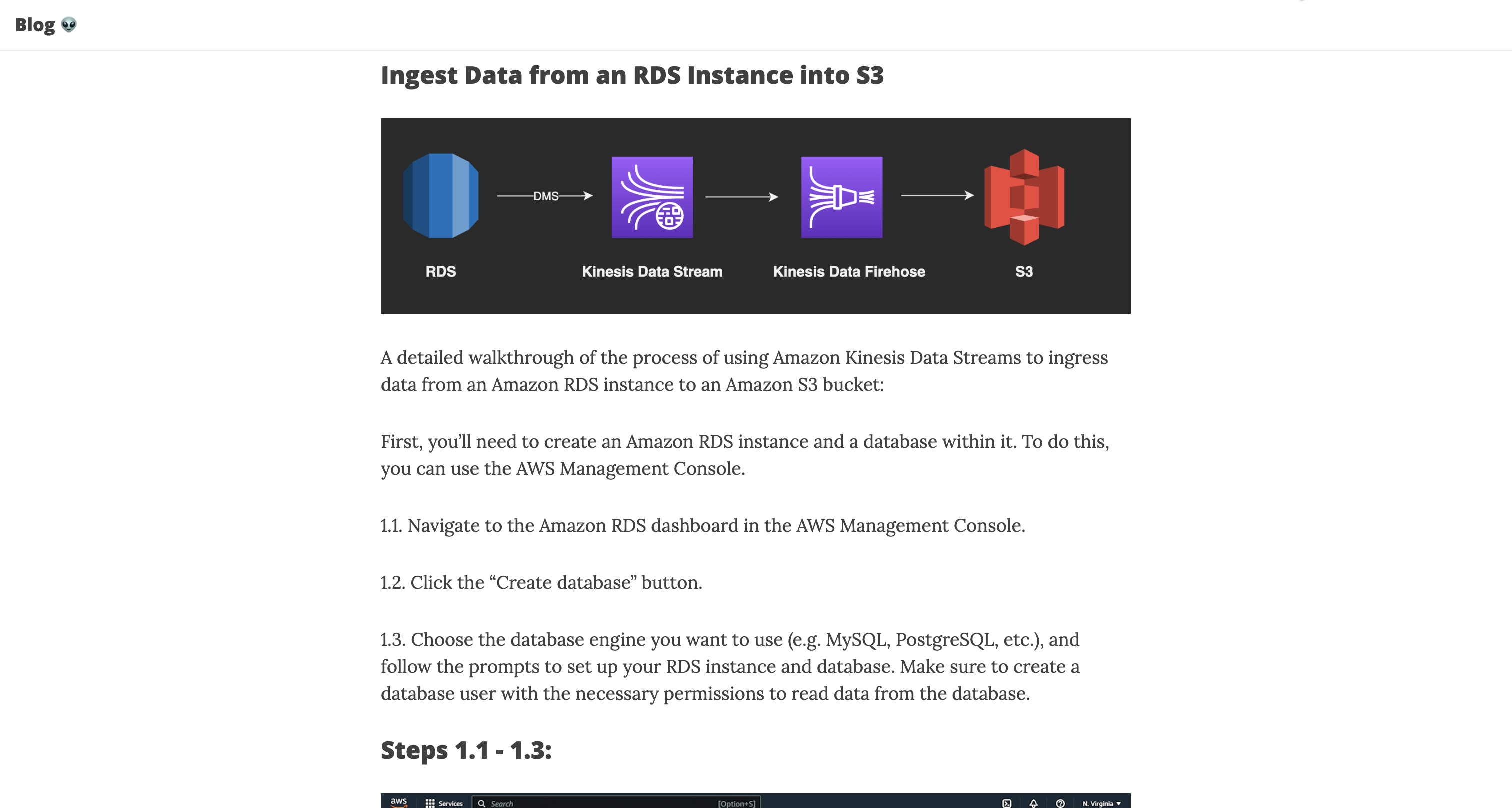
Ingest Data from an RDS Instance into S3
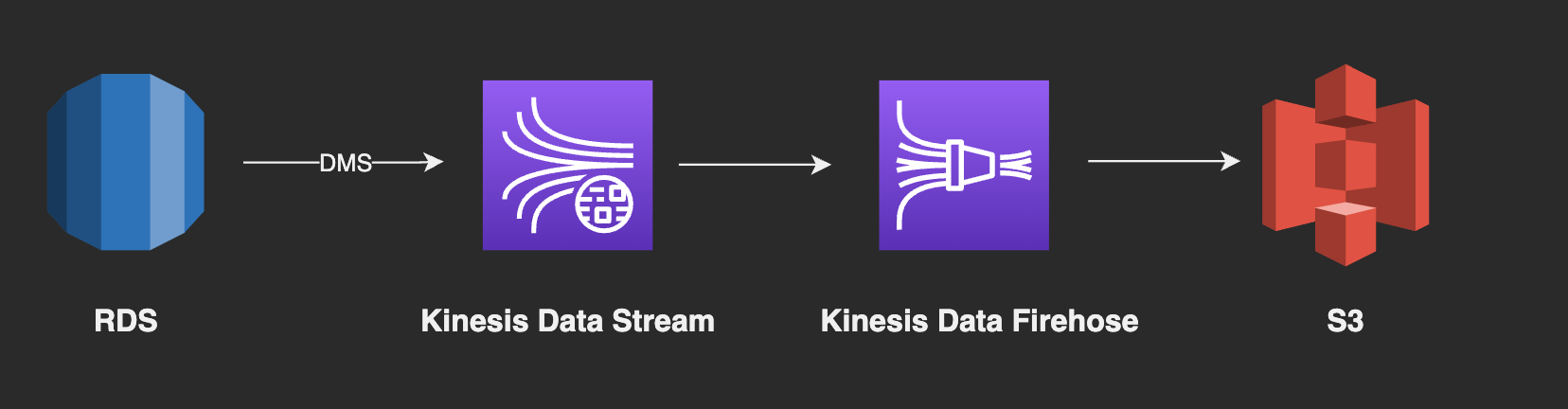
A detailed walkthrough of the process of using Amazon Kinesis Data Streams to ingress data from an Amazon RDS instance to an Amazon S3 bucket:
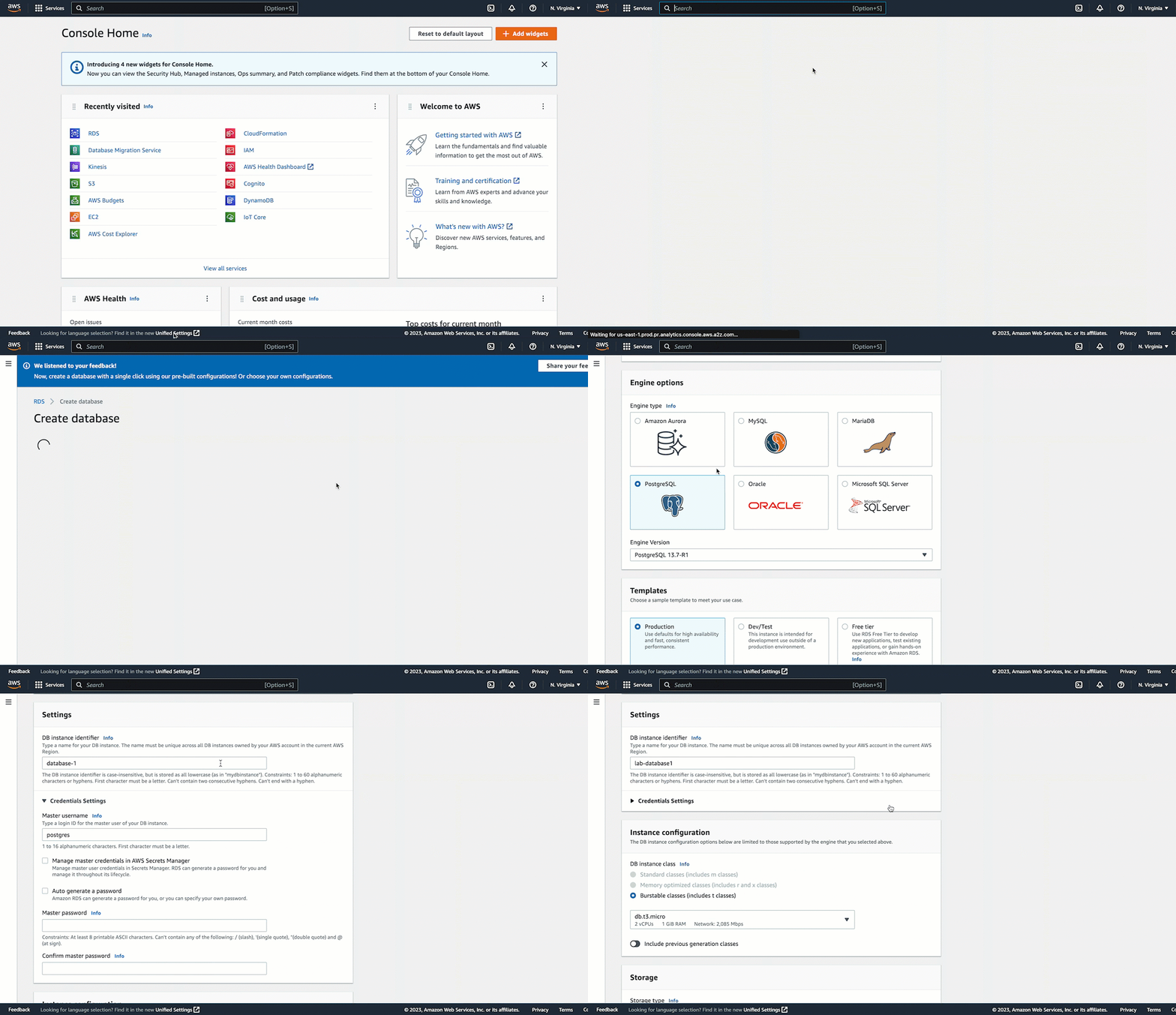
First, you’ll need to create an Amazon RDS instance and a database within it. To do this, you can use the AWS Management Console.
1.1. Navigate to the Amazon RDS dashboard in the AWS Management Console.
1.2. Click the “Create database” button.
1.3. Choose the database engine you want to use (e.g. MySQL, PostgreSQL, etc.), and follow the prompts to set up your RDS instance and database. Make sure to create a database user with the necessary permissions to read data from the database.
Steps 1.1 - 1.3:
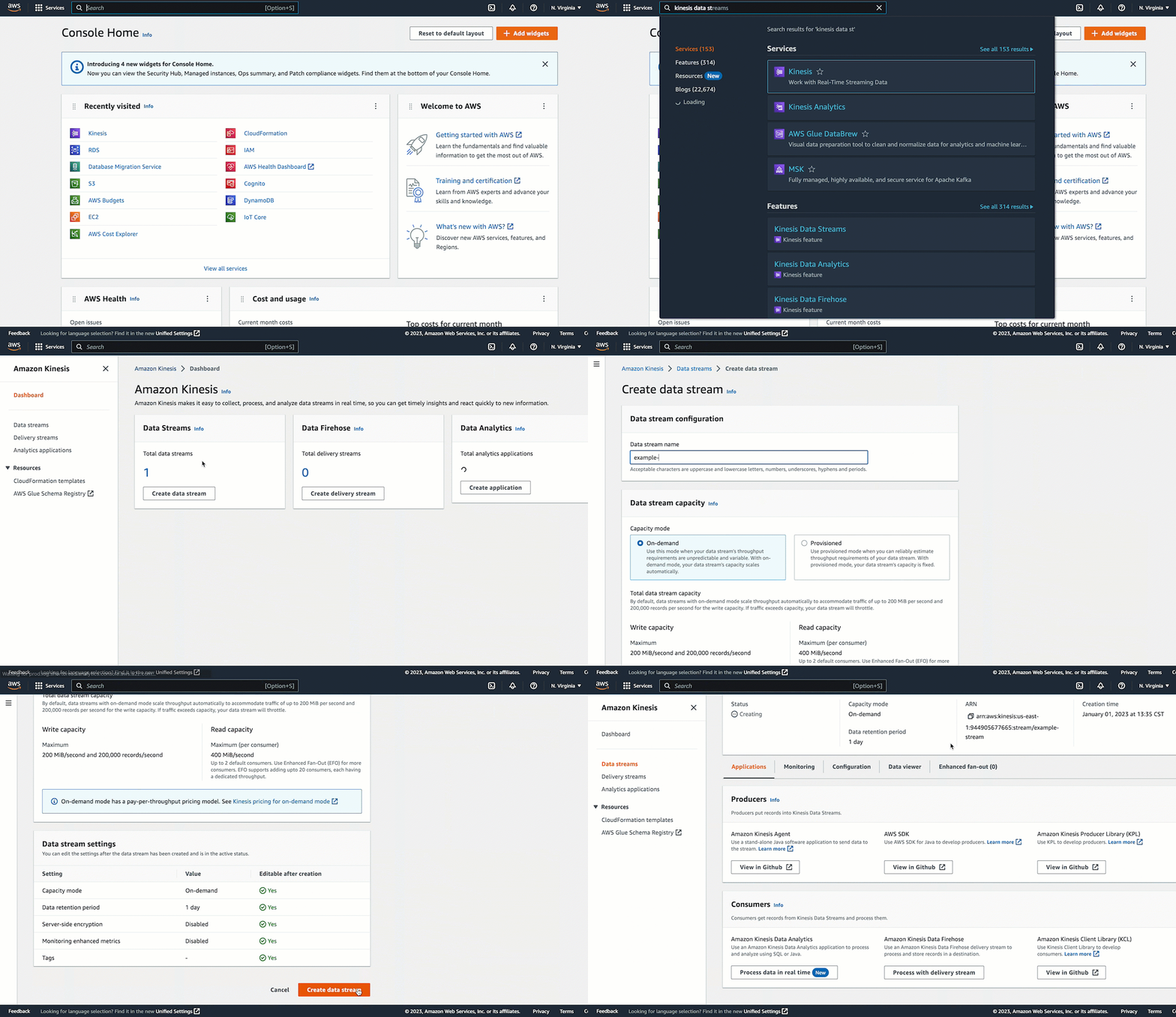
Next, you’ll need to create an Amazon Kinesis Data Stream. To do this, you can use the AWS Management Console.
2.1. Navigate to the Amazon Kinesis dashboard in the AWS Management Console.
2.2. Click the “Create data stream” button.
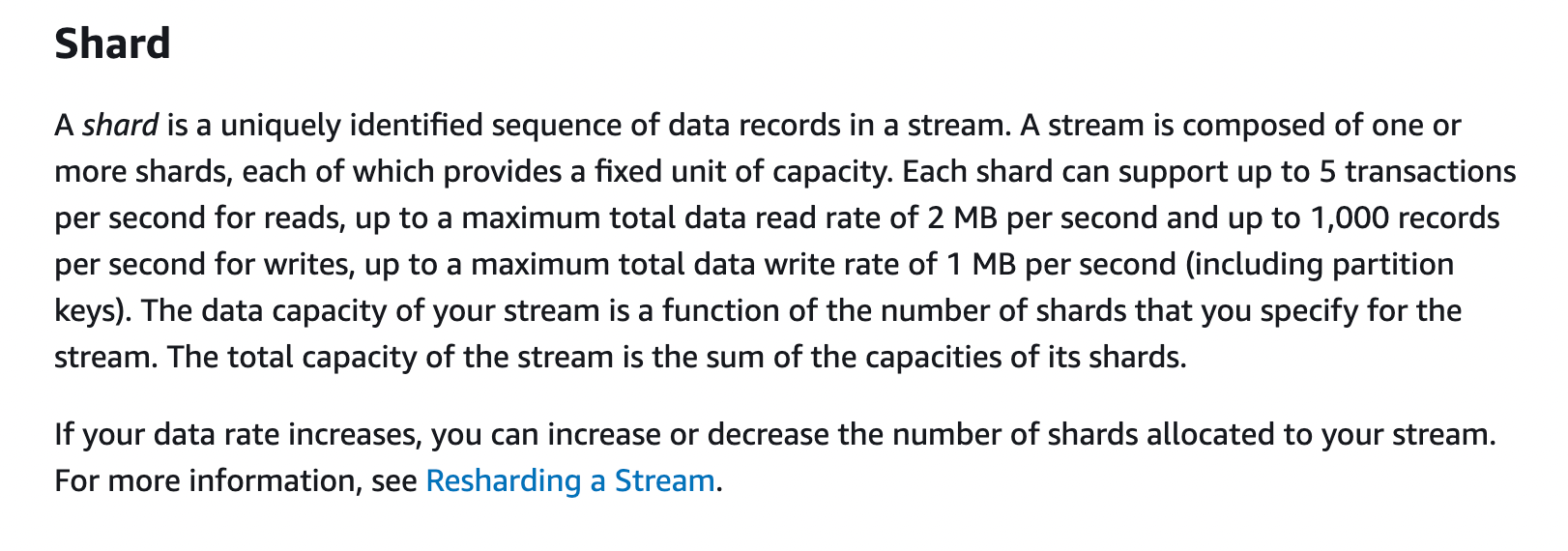
2.3. Enter a name for your data stream, and specify the number of shards you want to use. A shard is a unit of capacity in a Kinesis Data Stream, and you can choose the number of shards based on the amount of data you expect to ingest and the rate at which you want to process it.
2.4. Click the “Create data stream” button to create your data stream.
Steps 2.1 - 2.4:
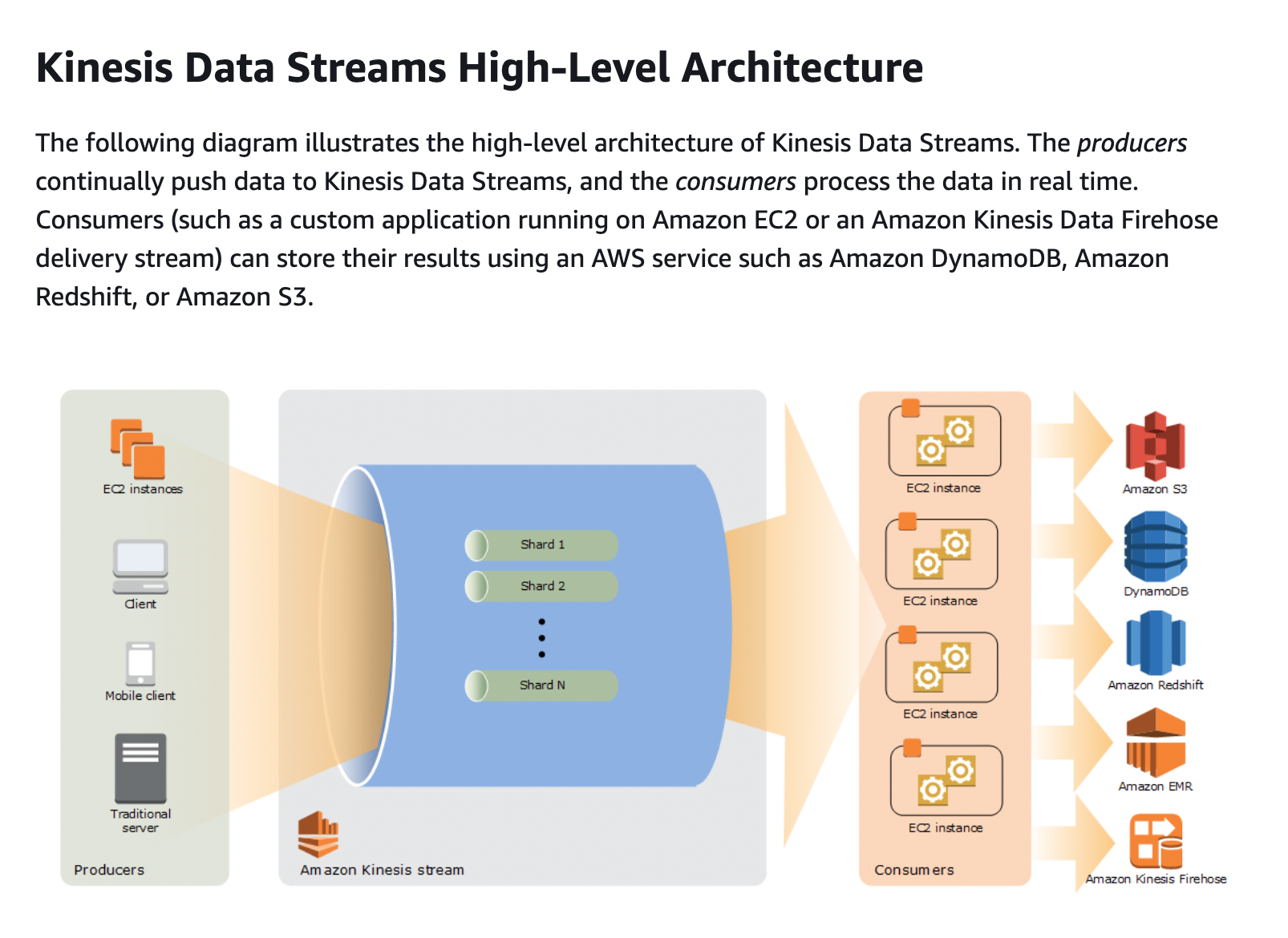
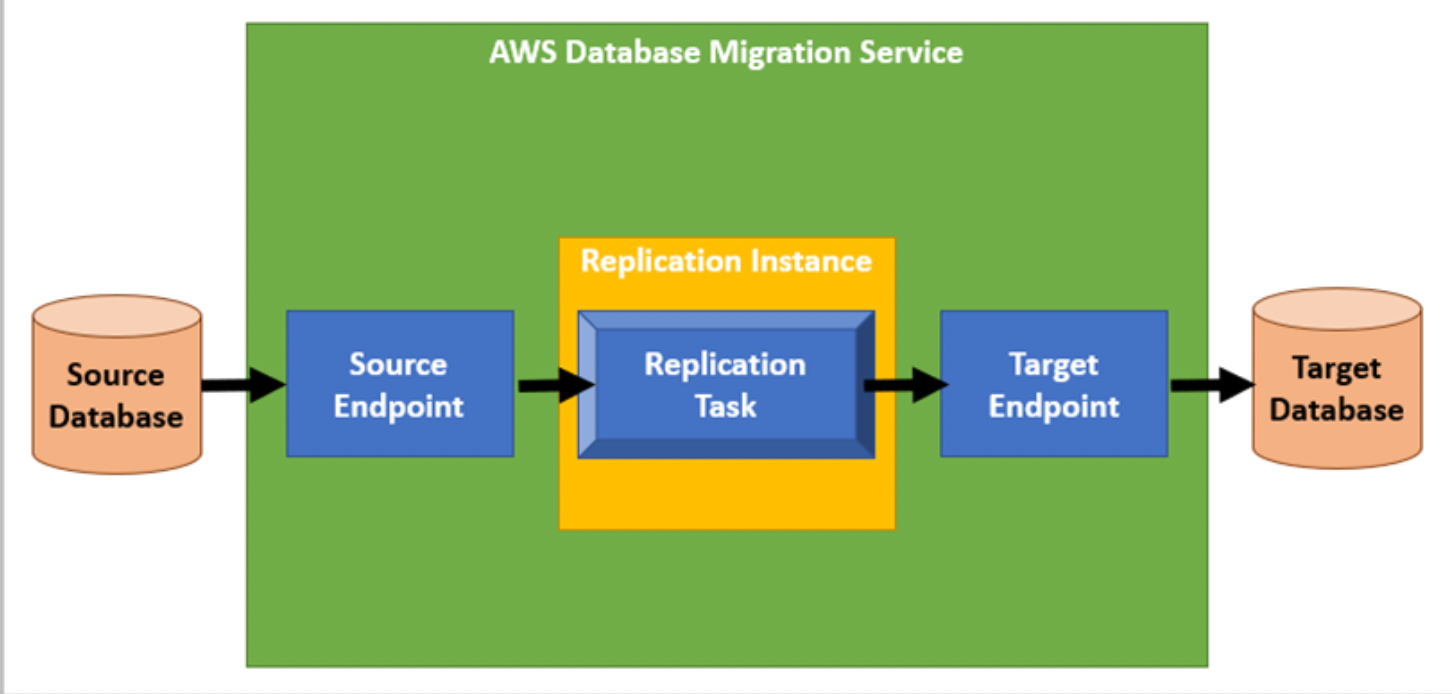
Now you’ll need to set up AWS Database Migration Service (DMS) to replicate data from the RDS instance to the Kinesis Data Stream. To do this, you’ll need to create an Amazon DMS task.
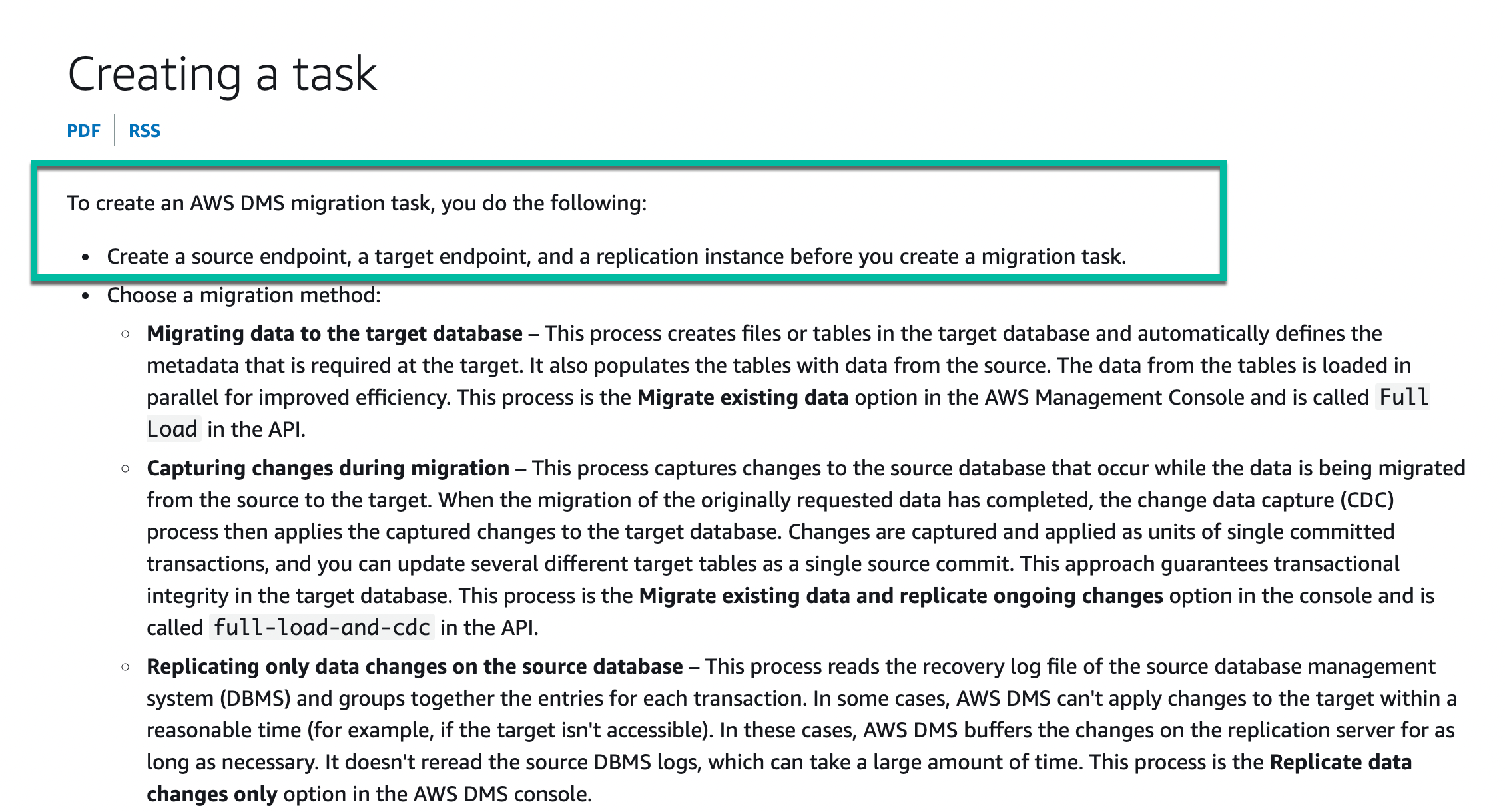
3.1. Navigate to the AWS Database Migration Service dashboard in the AWS Management Console.
3.2. Click the “Create task” button.
3.3. Choose “Migrate existing data” as the task type, and follow the prompts to specify the RDS instance as the source and the Kinesis Data Stream as the target. Make sure to specify the database user you created earlier as the source endpoint connection user.
3.4. Click the “Create task” button to create your DMS task.
Next, you’ll need to create an Amazon S3 bucket to store the data from the Kinesis Data Stream. To do this, you can use the AWS Management Console.
4.1. Navigate to the Amazon S3 dashboard in the AWS Management Console.
4.2. Click the “Create bucket” button.
4.3. Enter a name for your bucket, and choose a region.
4.4. Click the “Create bucket” button to create your bucket.
Finally, you’ll need to set up an Amazon Kinesis Data Firehose delivery stream to ingest data from the Kinesis Data Stream and store it in the S3 bucket. To do this, you’ll need to create a Kinesis Data Firehose delivery stream.
5.1. Navigate to the Amazon Kinesis Data Firehose dashboard in the AWS Management Console.
5.2. Click the “Create delivery stream” button.
5.3. Enter a name for your delivery stream, and choose “Kinesis Data Stream” as the source.
5.4. Select the Kinesis Data Stream you created earlier as the source stream.
5.5. Choose “Amazon S3” as the destination, and select the S3 bucket you created earlier as the destination bucket.
Make 💰 By Learning Programming:
- Tesla
- Liquid I.V. Hydration Multiplier 30 Stick, 16.93 Ounce
- Xeela Pre workout
- Sour Strips
- Impractical Python Projects
- Designing Data-Intensive Applications
- Python for Data Analysis
- Python for Data Science Handbook
- Hands-On Machine Learning w/Scikit-Learn & Tensorflow